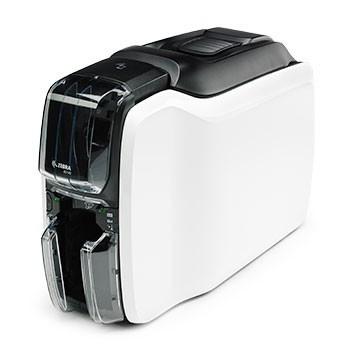
ID cards for employees , membership cards, identification tags for visitors: the ZC100 Zebra is the optimal choice for many card printing challenges. Print cards one side with a resolution of 300 dpi. During the printing process, it automatically adjusts to the thickness of the processed card, making unnecessary adjustments before printing. Speed also has priority Zebra, and ZC100 is no exception. I is why it is not necessary to configure after unpacking the device: simply connect via Plug Play and start printing
. Printer has an input capacity and output of 100 cards. The finished cards can be removed individually or stacked, without opening the device first. Therefore, users can use the cards directly after they have been printed. Then there is the small building and the elegant design of the ZC100, which makes it presentable almost everywhere, ideally where users have access to the best freshly printed cards. The device communicates via USB 2.0 with the host, but also available optionally with WLAN 802.11 ac and an Ethernet port.
Ribbon red monochromatic card printer - roll prints: 1500 images - compatible with ZC100, ZC300, ZC350 - Single solid colors, no shadows or shadows in grayscale - Ideal for single text or printing cards in color PVC cards
* Special product: it does not support changes or returns. If you have doubts, please contact us
Blue monochrome card printer ribbon - roll prints: 1500 images - Compatible with ZC100, ZC300, ZC350 - Single solid colors, no shadows or shadows on gray scale - Ideal for single text or printing on PVC cards in color
* Special product: it does not support changes or returns. If you have doubts, please contact us
Metallic golden monochromatic card printer ribbon - roll prints: 1500 images - Compatible with ZC100, ZC300, ZC350 - Single solid colors, no shadows or shadows in gray scale - Ideal for text single cards or to print on PVC cards In color
* Special product: it does not support changes or returns. If you have doubts, please contact us
Ribbon for metal silver monochromatic card printer - roll prints: 1500 pictures - Compatible with ZC100, ZC300, ZC350 - Single solid colors, no shadows or shadows in grayscale - Ideal for text single cards or to print on PVC cards In color
* Special product: it does not support changes or returns. If you have doubts, please contact us
White monochrome card printer ribbon - roll prints: 1500 images - Compatible with ZC100, ZC300 - Single solid colors, no shadows or shadows in grayscale - Ideal for text single cards or to print on PVC cards in color
* Special product: it does not support changes or returns. If you have doubts, please contact us
Color Card Printer Ribbon - Roll Poster: 300 Images - Compatible with ZC300 - Full Color More Black and Transparent Superposed Panels - For Printing A Face - The Ribbon can be used for double-sided printing All color, however the number of tape cards will be reduced by half
* special product: it does not support changes or returns. If you have doubts, please contact us
https://www.etiden.com/EN/printer-pvc-cards-zebra-tlp2824-plus-zebra-zc100.html5320Zebra ZC100 Card Printer<p style="text-align: justify;"><strong> A real hit with card printers </ b> </strong></p>
<p style="text-align: justify;">ID cards for employees , membership cards, identification tags for visitors: the ZC100 Zebra is the optimal choice for many card printing challenges. Print cards one side with a resolution of 300 dpi. During the printing process, it automatically adjusts to the thickness of the processed card, making unnecessary adjustments before printing. Speed also has priority Zebra, and ZC100 is no exception. I is why it is not necessary to configure after unpacking the device: simply connect via Plug Play and start printing</p>
<p style="text-align: justify;">. Printer has an input capacity and output of 100 cards. The finished cards can be removed individually or stacked, without opening the device first. Therefore, users can use the cards directly after they have been printed. Then there is the small building and the elegant design of the ZC100, which makes it presentable almost everywhere, ideally where users have access to the best freshly printed cards. The device communicates via USB 2.0 with the host, but also available optionally with WLAN 802.11 ac and an Ethernet port.</p>
<p style="text-align: justify;"><a title="List of ID Card Printers with Mac OS X Drivers" href="https://supportcommunity.zebra.com/s/article/Mac-OS-Drivers-Are-Not-Compatible-With-Card-Printers?language=en_US">List of ID Card Printers with Mac OS X Drivers</a></p>https://www.etiden.com/media/catalog/product/cache/8e0900980d802d9bb649187a089d520a/z/c/zc100.jpg783.67instock1568.06783.6750784.39000https://www.etiden.com/media/catalog/product/z/c/zc100.jpg2560256125642459724642246432464424645246462464726303354993846238463/Standard Printer Cards/Impresoras PVC2020-11-16T08:15:47+0000